
Introduction
Have you ever needed to leave your classroom and go to the bathroom, the nurse, or the office? In the past, you’d carry a paper pass or maybe a wooden block with your teacher’s name on it. But now, schools are going digital. That’s where ehallpass comes in.
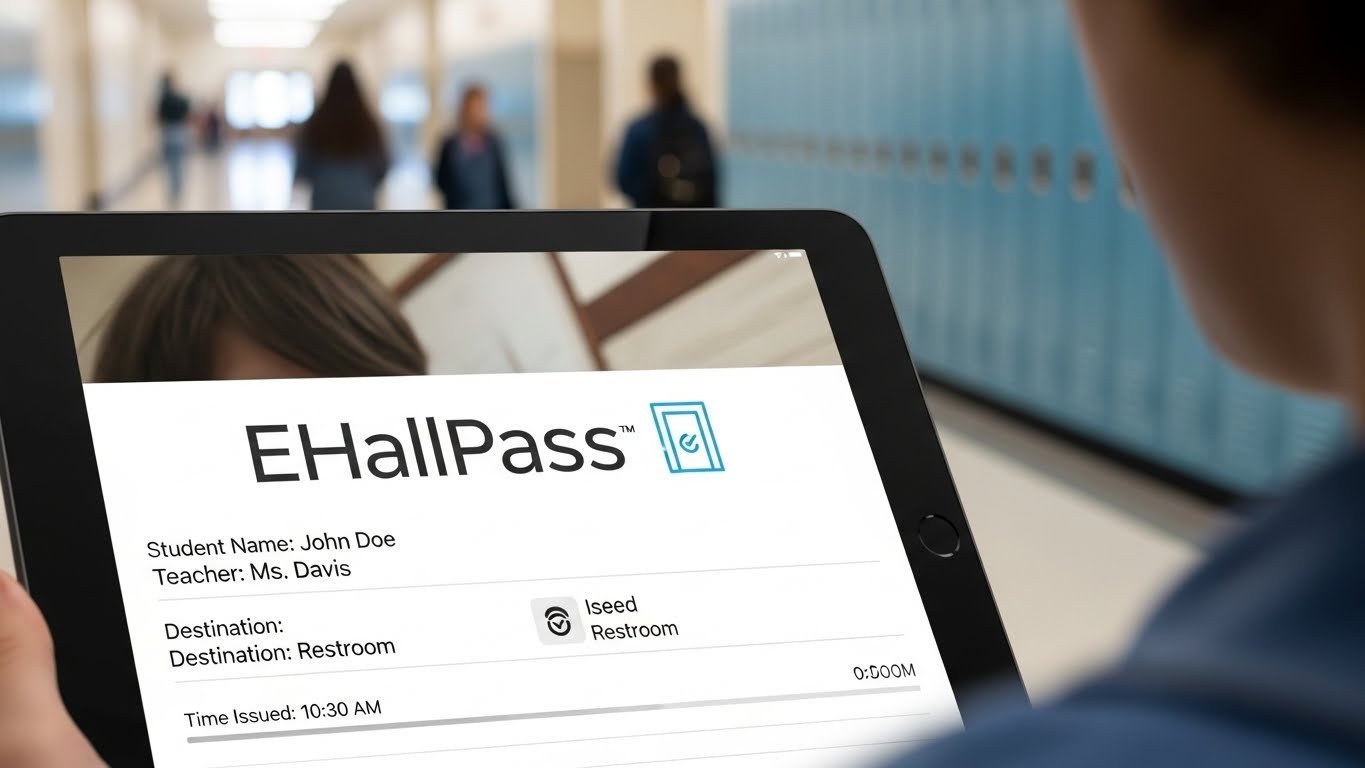
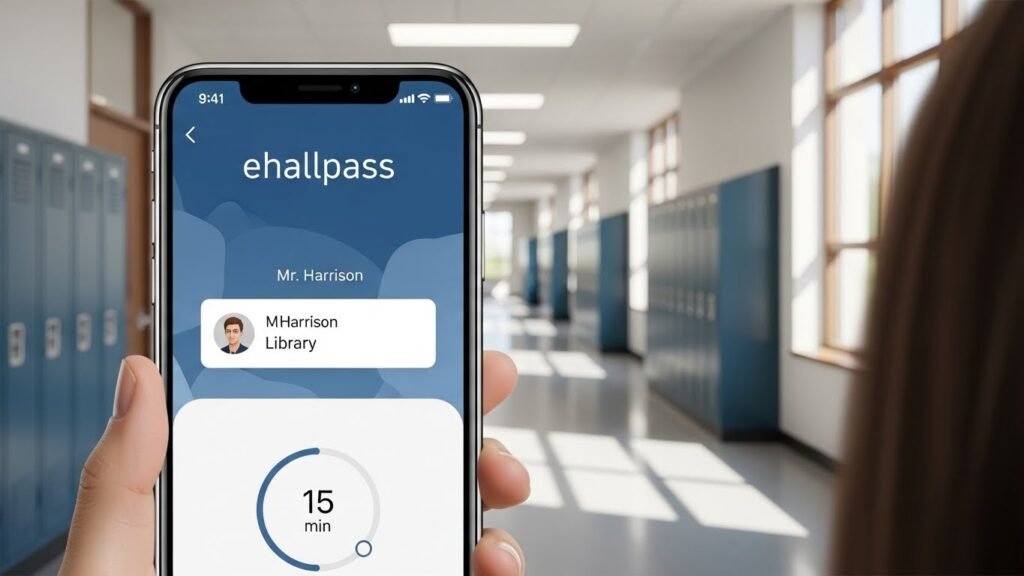
eHallPass is a new, smart way for students and teachers to manage hall passes. Instead of using paper, students ask to leave the classroom through an app or on a computer. Teachers approve the pass, and everything is tracked safely online.
It’s quicker, cleaner, and smarter. In this article, we’ll look at what eHallPass is, how it works, and why schools across the country are using it. We’ll also answer common questions and help you feel confident about this digital tool.
Whether you’re a teacher, student, or parent, this guide is written just for you—with easy-to-read language, real-life tips, and helpful info from real classroom experiences.
What is eHallPass?
eHallPass is a digital system that replaces old paper or wooden hall passes in schools. It’s part of a smart software called Eduspire Solutions. With eHallPass, students can create a pass from their laptop, tablet, or school computer. The teacher sees the request and decides whether to approve it.
This makes it super easy to keep track of who is in the hallway, where they’re going, and how long they’re gone. It brings safety, order, and accountability to the classroom without taking up too much time.
For example, if a student needs to go to the restroom, they just open eHallPass, create a new pass, and wait for the teacher to say yes. No more looking for clipboards or waiting in line at the teacher’s desk.
Teachers and staff also use eHallPass to check reports. They can see if someone is leaving class too often or meeting up with friends when they shouldn’t be.
How eHallPass Works: Step-by-Step
Using eHallPass is simple. Let’s go through how a student uses it in school:
- Open the Website or App – Students log in on their school’s device or their student account.
- Create a Pass – Pick the place you want to go (restroom, nurse, guidance office, etc.).
- Wait for Approval – Your teacher will get a notification and either approve or deny the request.
- Use the Pass – Once it’s approved, your pass begins, and you go to your destination.
- Return and End the Pass – When you come back, you click “End Pass.”
Every step is recorded, so everything stays safe and organized.
Students like how easy it is. Teachers like that they can see where everyone goes without standing up or writing anything down. It’s also great for schools that care about hygiene since there’s no need to share a physical pass.
Why Schools Choose eHallPass
Many schools are switching to eHallPass because it solves some common problems.
First, it helps with student safety. Some schools have had issues with students skipping class, going to see friends without permission, or lingering in the hallway too long. eHallPass keeps a full record of each trip. That means fewer distractions and better behavior.
Second, it helps schools follow health guidelines. During times like flu seasons or hygiene outbreaks, teachers can limit how many students are out at once. Having fewer kids in the halls at one time cuts back on spreading germs.
Lastly, it’s a big help for teachers. Teachers used to juggle who’s out of class and for how long. Now, the system does all of that for them. Everything is stored online, so no one has to guess or worry.
Benefits of Using eHallPass for Students
Students may wonder, “What’s in it for me?” Well, there are actually plenty of benefits.
First, it allows students to request a pass without waiting for the teacher to stop what they’re doing. You can request a hall pass digitally without interrupting the lesson. That’s a win-win for everyone.
Next, it’s very private. Some students feel embarrassed when they have to say out loud where they’re going. With eHallPass, the conversation stays between you and the teacher.
And let’s not forget about freedom and fairness. In the past, some students got passes more easily while others had to wait. Now, everything is tracked and timed, which means everyone gets the same chance—just more fair!
Benefits of eHallPass for Teachers
Teachers also get a lot out of using eHallPass.
They save time during class and can stay focused on teaching. Instead of stopping to write a note or answer hallway questions, they check their computer screen and click.
They also gain quick access to student activity logs. If a student is taking too many trips to the restroom or keeps asking to leave during math time, the teacher can see it right away.
eHallPass helps reduce classroom disruptions and allows teachers to manage behavior better. It also supports safe and productive learning environments.
Keeping Students Safe with eHallPass
Today, safety is one of the biggest concerns in schools. Parents and teachers want to know where students are at all times. eHallPass helps with that.
Because it logs every movement, it’s easy to know if students are missing during an emergency drill or if someone is in a place they shouldn’t be.
Also, because teachers can limit how many students leave at once, schools avoid crowding in hallways and bathrooms. That means students are safer and can go about their day without worry.
eHallPass can also block meet-up behavior. If two students are trying to leave at the same time to hang out, the system can catch it. This keeps things fair and helps students stay focused on class.
How eHallPass Supports Cleanliness in Schools
Before programs like eHallPass, many students used the same pass all day. Whether it was a wooden paddle or a laminated card, it changed hands dozens of times—and with that came germs.
eHallPass is completely contactless. Since it’s a digital pass, no one touches it but you. Teachers don’t have to pass around anything either.
Schools love this feature, especially during cold season or in situations like COVID-19. It helps keep everyone healthier.
By reducing shared surfaces and letting teachers limit hallway traffic, eHallPass is a big part of keeping schools clean and safe.
How Do Parents Feel About eHallPass?
At first, some parents may feel unsure about a digital system tracking students. But once they understand how it works, most parents feel better, not worse.
That’s because eHallPass builds safety and trust. It shows exactly where a student goes, how long they’re there, and when they return. If there’s a problem, the school can check the logs quickly.
Parents can also talk to teachers about any repeated patterns. For instance, if a student leaves class at the same time every day, they might need extra support.
Overall, parents appreciate that their children are supported in a system that’s smart, secure, and easy to understand.
Privacy and Data Protection in eHallPass
One big question people ask is, “Is my information safe on eHallPass?”
Yes, it is. eHallPass takes privacy seriously. It follows school technology rules and data protection laws to keep all student information private and secure.
The data isn’t shared outside the school unless needed for safety reasons. The system also doesn’t ask for personal information other than what the school already has.
Schools control who sees data, usually school staff and the system administrator. Everything is stored in secure databases and protected from outside access.
Tips for Using eHallPass Like a Pro
If your school uses eHallPass, here are a few quick tips to make the most of it.
- Don’t wait until the last minute. If you need to go somewhere, ask early when it’s less busy.
- Always end your pass when you get back. This helps teachers and staff know you’re safe.
- Be honest about where you’re going and why. The system can track abuse, and honesty earns trust.
- Keep your device charged if using a tablet or Chromebook in class.
- Ask for help if you can’t figure it out. Teachers and friends are happy to help.
Learning any new tech can be tricky at first, but eHallPass becomes second nature after just a few uses.
Common Challenges and How Schools Solve Them
Some schools run into small problems when starting eHallPass, like students forgetting to end passes or trying to game the system.
But schools can solve these issues by teaching rules clearly, training teachers, and reviewing reports regularly. Some schools even reward classes with the best pass behavior!
Starting strong with training and creating simple classroom rules can make a big difference. It all leads to smoother hallways and happier classrooms.
Schools may also use the settings to block passes at certain times or between certain students to prevent misuse.
How eHallPass Connects to Other School Tools
eHallPass doesn’t work alone. It can work with other tools your school already uses.
Many schools run other systems like ClassLink, Clever, or PowerSchool. eHallPass can work together with these platforms to create a smoother digital classroom experience.
Everything syncs easily, making it simple for students and teachers to move from learning apps to classroom tools without needing multiple logins.
This easy connection helps teachers save time and keeps students inside learning instead of stuck in tech trouble.
Future of eHallPass and Digital Hall Management
Schools are finding more ways to use eHallPass every year. New updates come out regularly, and tech teams are adding more helpful features.
Some schools are using eHallPass data to learn about student habits, like who needs extra bathroom breaks or which periods are hardest for focus.
With new tech like QR codes, ID scanning, and mobile apps, eHallPass is getting faster and easier all the time.
As more kids use personal devices in school, expect digital passes to become the norm. That means fewer paper slips and more connected classrooms in the future.
FAQs
1. Is eHallPass safe for students to use?
Yes. eHallPass follows strong privacy and school safety rules. It helps staff track students safely.
2. Can students use eHallPass on their phones?
It depends on the school’s rules. Some schools allow mobile use, while others stick to classroom devices.
3. What happens if the internet is down?
Teachers may use paper passes temporarily if there’s a tech issue. But problems are rare because eHallPass runs on reliable servers.
4. Can students create fake passes?
No. The system shows who created the pass and when. Teachers must approve it for it to begin.
5. Does eHallPass work in every school?
No, but more schools are starting to use it. Ask your teacher or principal if your school has plans to.
6. Can parents see eHallPass activity?
Parents may not log in directly, but they can ask teachers or the school for student pass records.
Conclusion
eHallPass is more than just a high-tech hall pass. It helps students move around safely, gives teachers control, and keeps schools running more smoothly.
It’s easy to use, smart, and improves safety in a fun, modern way. With its growing popularity, more schools are joining the digital hall management movement every year.
Whether you’re a curious student, a teacher looking for solutions, or a parent wondering what all this is about, just know—eHallPass is here to help.