Introduction
If you’ve ever wondered who handles all the tech stuff in a business—like keeping computers working, making sure emails go through, or keeping websites safe—you’re thinking about information technology management It may sound like a big, complicated topic, but don’t worry—we’re going to break it down in a simple and friendly way.
Information technology management, or IT management for short, is all about using technology to help a business work better. It means choosing the right tools, keeping everything working smoothly, and solving problems when things go wrong. From small shops to big companies, every place relies on IT in some way.
In this guide, you’ll learn exactly what information technology management is, why it’s important, and how it affects everyday business operations. We’ll cover what IT managers do, which tools they use, and how this special field connects people and technology. No techy talk—just real, helpful info that anyone can understand.
So, let’s dig into the basics and explore how information technology management helps businesses stay smart and successful.
What Exactly Is Information Technology Management?
Information technology management is the planning, organizing, and controlling of all tech systems in a company. That includes computers, networks, software, and hardware. It also means helping people use technology the right way.
For example, let’s say you own a bakery and use a computer to take orders, email customers, and run your website. If your computer crashes or your internet goes down, you lose time and money. That’s where IT management comes in. It keeps systems secure, updated, and running well.
Even small businesses have tech needs. Whether it’s setting up cloud storage or keeping track of software licenses, someone has to manage those parts.
In short, information technology management is not just about fixing computers. It’s about making smart choices and using tech to meet the goals of the business.
Why Businesses Need Information Technology Management
Technology is part of almost every job today. Whether you run a clothing store, deliver packages, teach classes, or build houses, you likely use technology in some way. That’s why businesses of all sizes need information technology management.
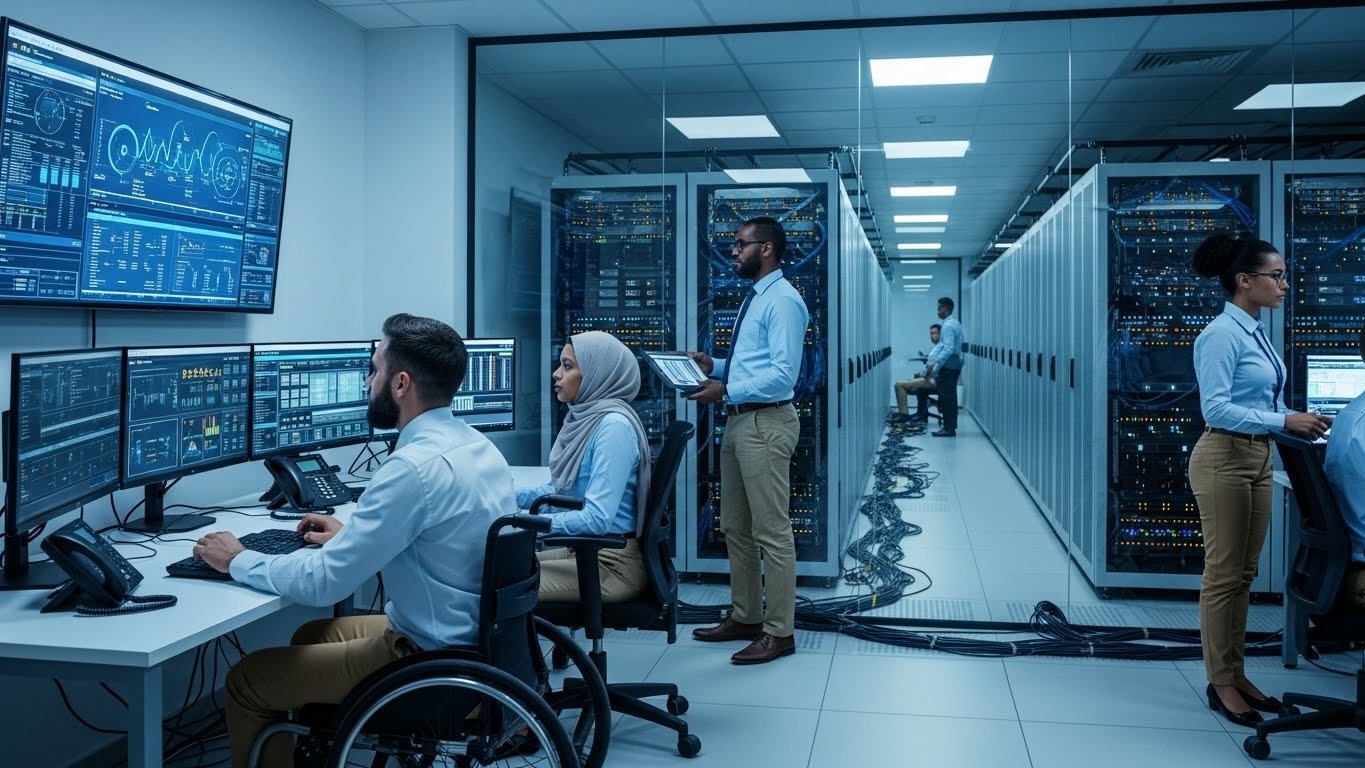
An IT management team helps a business work smarter, faster, and safer. They keep systems secure so hackers can’t steal data. They help employees stay connected and productive. And they step in fast when something breaks.
Also, technology changes quickly. New software, systems, and tools come out all the time. IT managers help companies stay up to date so they don’t fall behind competitors.
With good IT management, companies can reduce downtime, boost teamwork, lower tech costs, and grow with confidence.
Roles and Responsibilities of an IT Manager
One of the most important people in any tech department is the IT manager. They play a big role in making sure everything tech-related runs smoothly. But what do they really do?
Here are some of an IT manager’s key responsibilities:
- Pick and install computer systems, networks, and software
- Train employees on how to use new tools
- Create data safety and backup plans
- Troubleshoot and solve tech problems
- Hire or supervise other IT staff
- Keep passwords, files, and systems secure from hackers
- Work with other departments to improve tech use
IT managers are like tech superheroes behind the scenes. They may not always be seen, but everyone feels their impact when things go right—or very wrong!
The Different Parts of IT Management
Information technology management includes several important parts, each with its own focus. Understanding these helps you see how many areas fit under the IT umbrella.
Here are the main components:
- Hardware Management: Taking care of physical devices like computers, routers, and printers.
- Software Management: Installing, updating, and tracking programs used for work.
- Network Management: Keeping internet and internal networks fast, safe, and connected.
- Security Management: Protecting company data from viruses, hackers, and leaks.
- Data and Storage Management: Saving files safely and making sure backups are working.
- Cloud Management: Handling services like Google Drive, Microsoft 365, or Dropbox.
- Help Desk Support: Answering employee questions and fixing their tech problems quickly.
Even though all of these pieces sound different, they work together to help an organization stay digitally strong.
How Information Technology Management Supports Business Goals
Tech isn’t just about machines—it’s about business success. Good information technology management helps companies meet their goals faster, with fewer problems, and less stress.
Here’s how IT supports key goals:
- Saves Time: Automating tasks lets workers do more without getting stuck doing the same thing every day.
- Saves Money: IT can cut waste, reduce costly mistakes, and stretch budgets by picking the right tools.
- Boosts Communication: With email, chat, and cloud sharing, teams stay connected anywhere.
- Improves Customer Service: Apps and websites help customers place orders, get support, or give feedback easily.
- Keeps Data Safe: Cybersecurity measures protect valuable business info from being stolen or ruined.
With the right IT team in place, businesses feel more confident facing challenges and trying new ideas.
Common Tools Used in Information Technology Management

Ever wonder what tools help IT managers do their jobs? Let’s look at some common and helpful ones in information technology management.
- Remote Access Software: Tools like TeamViewer or AnyDesk let IT staff fix problems on computers across the office—or across the world.
- Network Monitoring Tools: These tools watch for issues like slow internet or outages, so teams can act fast.
- Cybersecurity Software: Programs like antivirus protection and firewalls keep devices safe from hackers.
- Project Management Tools: Platforms like Trello or Asana help organize IT tasks, team goals, and updates.
- Cloud Platforms: Tools like Google Workspace or Microsoft 365 allow easy file sharing and real-time work with others.
- Ticketing Systems: IT help desks use these to track problems, who’s fixing them, and when they’re solved.
A good IT team knows which tools fit the company’s needs best and uses them to improve every day.
Challenges Faced in IT Management
Even though information technology management is powerful, it isn’t always easy. Like anything else, it has challenges.
Some common issues include:
- Cyberattacks: Hackers are getting smarter. IT teams must work hard to stay ahead and protect private data.
- Rapid Change: New systems and updates appear quickly, which can be hard to keep up with.
- Budget Limits: IT equipment and services can cost a lot, especially for small businesses.
- User Errors: Sometimes team members make tech mistakes that cause problems—like clicking fake links.
- System Downtime: Even short internet or server breakdowns can interrupt work and lead to upset customers.
The good news? Most of these problems can be planned for or solved with smart IT strategies, training, and teamwork.
Careers in Information Technology Management
If you enjoy solving puzzles, working with computers, or helping people with tech problems, you might like working in information technology management.
Here are some popular jobs in the field:
- IT Manager: Oversees all tech systems and helps make important tech decisions.
- Network Administrator: Builds and maintains internet networks and internal connections.
- Cybersecurity Specialist: Focuses on keeping data and systems protected from threats.
- Help Desk Technician: Solves everyday tech problems for workers or customers.
- Systems Analyst: Looks at current tech setups and suggests better ones.
- Database Administrator: Keeps company data safe, organized, and easy to access.
These jobs are in high demand, offer good pay, and provide exciting opportunities for learning and growth over time.
How to Get Started in IT Management
Want to learn about information technology management or start a new career in IT? Great news—it’s more possible than ever today!
Here are a few steps to get started:
- Learn Basic Computer Skills: Know how systems work, how to install software, and how to fix small problems.
- Study the Field: There are many free or low-cost online courses in tech, cybersecurity, and IT support.
- Get Certified: Programs like CompTIA A+, Network+, or Google’s IT Support Certificate help you stand out.
- Practice: Set up your own network, help friends with their tech issues, or volunteer to build experience.
- Apply for Entry-Level Roles: Even help desk jobs or junior tech positions can be the start of a long IT career.
Remember, many top IT managers started as beginners. You just need curiosity, problem-solving skills, and a willingness to learn!
The Future of Information Technology Management
Technology never stands still. So, what’s next for information technology management?
Here are some trends to watch for:
- Artificial Intelligence (AI): Smart tools help companies answer emails, analyze data, and boost customer service.
- Cloud-Based Everything: More companies are moving to the cloud to save space, reduce costs, and improve access.
- Remote Work Support: IT teams are helping people work from home safely and easily.
- Greater Focus on Cybersecurity: Protecting data is more important than ever as hackers grow more advanced.
- Green IT: Companies want to use tech that’s better for the planet, like energy-saving devices and recycling programs.
Being part of IT means always learning. That’s one reason it’s exciting, flexible, and never boring.
FAQs
1. What is information technology management?
It’s the process of planning, organizing, and maintaining all tech systems in a business—like computers, networks, and software.
2. Why is IT management important?
IT management keeps systems running smoothly, data safe, and employees productive. Without it, businesses can face serious problems.
3. What does an IT manager do every day?
They solve tech issues, set up new systems, protect data, and help others use tech tools correctly.
4. Do small businesses need IT management too?
Yes! Even one-person companies need tech support to stay secure, work faster, and avoid downtime.
5. How can I start a career in IT management?
Take online courses, earn certifications, and gain hands-on experience. Everyone starts somewhere, even in junior roles.
6. What skills make a good IT manager?
Strong problem-solving skills, communication, tech understanding, time management, and being willing to learn fast.
Conclusion
Technology is an important part of nearly every business today. But without the right people managing it, things can fall apart quickly. That’s why information technology management matters.
Whether you’re running a business, working for a company, or dreaming of starting your tech career, understanding IT management is a big step in the right direction. It helps teams work better, keeps data safe, and ensures that technology works for—not against—the business.
Keep learning. Keep growing. And take the time to understand how smart technology planning can lead to long-term success.
If this guide helped you, share it with a friend, co-worker, or student who might want to learn about IT management too. You never know—you might just help launch someone’s future in tech!